
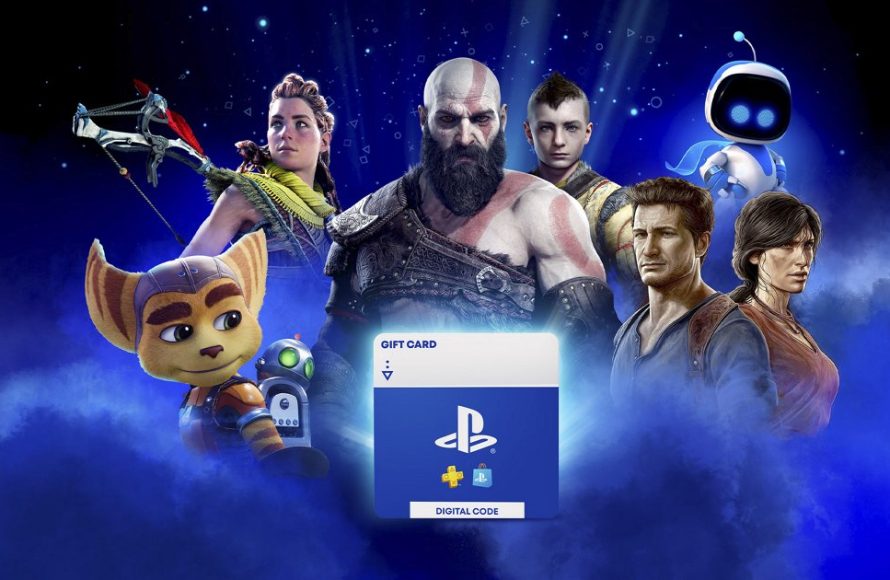
You can gift games on PSN by purchasing a digital code or using the PlayStation Store’s gifting option at checkout, sending it directly to your friend’s PlayStation account.
Want to surprise a friend with a new PlayStation game but not sure how? The process is quite simple, actually. Knowing how to gift games on PSN can bring a lot of joy and is perfect for birthdays or just because.
We’ll guide you through the straightforward steps. You’ll quickly learn how to send digital joy to your gaming buddies. This will make gifting games on PSN easier than ever!

How to Gift Games on PSN: A Complete Guide
Want to make a friend’s day or surprise a loved one with a new PlayStation game? Giving games on the PlayStation Network (PSN) is a fantastic way to share the joy of gaming. It’s easier than you might think, but there are a few key things to know. This guide will walk you through the entire process, explaining all your options and helping you choose the best method. Let’s dive into the world of PSN game gifting!
Understanding PSN Gifting Limitations
Before we get started, it’s important to understand some limitations Sony has put in place. Unlike some other platforms, you can’t directly “gift” a game from your digital library to another PSN user. You can’t, for example, select a game you already own and then click a button to send it to a friend. Instead, the primary method involves purchasing a new game and sending it as a digital code to your recipient. This means that you’ll have to pay for a new copy of the game even if you own it already. This is also why you cannot gift games directly through the PlayStation Store wishlists of other users. These limitations ensure fair practices and prevent potential misuse of game sharing functionalities.
Key Things to Remember About Gifting on PSN
- You cannot gift a game directly from your existing game library.
- You will need to purchase a new copy of the game.
- Gifting primarily works by providing a digital code to the recipient.
- You can’t send games as a surprise, the recipient will need to redeem the code.
Methods for Gifting Games on PSN
While direct gifting of already owned games isn’t possible, you have several options to purchase and send games to your friends on PSN. The two main ways to gift are through the PlayStation Store and by using physical gift cards. We will take a look at each option in detail.
Gifting through the PlayStation Store
The PlayStation Store is the primary place to buy games and send a digital code. This method is simple and gives you a range of games to choose from. Let’s learn how this works:
- Accessing the PlayStation Store:
Start by turning on your PlayStation console (PS4 or PS5). Go to the main menu and find the PlayStation Store icon. This looks like a shopping bag with the PlayStation logo. Select the PlayStation Store to get started.
- Finding the Desired Game:
Once you are in the PlayStation Store, you can browse games by category, popularity or through the search function. To find the game you would like to gift, type in the name of the game in the search bar. After you’ve located your desired game, select it to view its page.
- Selecting “Add to Cart”:
On the game’s page, you’ll see an “Add to Cart” button. Choose this button as if you were buying the game for yourself. Don’t worry; you won’t be downloading it to your account.
- Proceeding to Checkout:
After adding the game to your cart, proceed to the checkout page. You may need to verify your account and payment method. Make sure to review everything before continuing. This part is where you choose that it’s a gift.
- Choosing the “Gift” Option:
Here’s the key step! Instead of selecting “Purchase”, look for a “Buy as Gift” or similar option. This will be available as a checkbox, or an additional menu option on the screen, depending on the region and which device you are using. Select it. You should see an option to enter the recipient’s PlayStation Network username or their registered email address. Make sure you’re entering it correctly, or they won’t get the game.
- Confirming the Purchase:
After entering the recipient’s information, continue to the purchase page. Review the details again before confirming the purchase. The game code will now be sent to that specific PSN user. The recipient will get a message, either on their Playstation or via email, depending on the settings they have enabled, that a gift awaits!
- Recipient Redeeming the Code:
The recipient will receive a message and a redemption code. They can go to the PlayStation Store on their console, click the menu option to “Redeem Code”, enter the code that you gifted, and then download and install their gift!.
Using PlayStation Gift Cards
Another way to gift games is by using PlayStation gift cards. These cards contain a specific amount of money that can be used to buy games, DLC, and other content on the PlayStation Store. It’s a great option if you’re unsure which game your recipient wants, or if you’d like to give them some flexibility in what they can purchase. It also is ideal if you prefer not to have to link your card details directly to the PlayStation Store.
Types of PlayStation Gift Cards
PlayStation gift cards come in both physical and digital formats. Physical gift cards can be bought at many retail stores, and digital gift cards can be purchased online.
- Physical Gift Cards: These are physical cards that you buy in stores. They have a code printed on the back which the receiver can scratch off to redeem on their account.
- Digital Gift Cards: These are codes sent to you online via email or through a store’s website. You then simply forward the code to the recipient.
How to Gift with a PlayStation Gift Card
- Purchasing the Gift Card: Buy a gift card for the desired amount. You can buy them at many retail stores (for physical cards) or through online retailers for digital codes.
- Delivering the Gift Card:
If you purchased a physical gift card, you can hand it over directly, add it to a gift package, or put it into a greeting card. If you purchased a digital gift card, forward the email with the code to the recipient. You can also print the code off and put it in a physical card.
- Recipient Redeeming the Gift Card:
The recipient will need to go to the PlayStation Store on their console, click “Redeem Code,” enter the code from the card, and the funds will then be added to their PSN wallet. They can then use this money to buy any game they want.
Tips for Successful PSN Gifting
Gifting on PSN is simple, but some tips will help you ensure it goes smoothly. Follow these suggestions to make sure your gift is perfectly received.
- Double-Check the Recipient’s ID: Always double-check that you have correctly entered the recipient’s PSN username or email address. One small error will send the gift to the wrong person, and then it will be very difficult to reverse the mistake.
- Be Aware of Region Restrictions: PlayStation Store codes are often region locked. Make sure that the game is available in the receiver’s region. Gifting a US code to someone in the EU won’t work. If you are gifting internationally then purchasing a gift card may be a better option, as these can often be used in different regions.
- Consider the Recipient’s Preferences: If you are not sure of the game they would like, then a gift card is the best solution. It’s often better to give the gift of choice rather than potentially buying a game they already own.
- Communicate with the Recipient: It’s best to tell your recipient you’re about to send them a gift so they are aware to look for the code or message. This helps make sure they don’t miss the notification and it doesn’t end up getting lost in the mail or their emails.
- Purchase Digital Codes on Reputable Sites: If buying digital gift cards, be sure to purchase from a reputable seller to avoid any scam. Stick to well-known retailers or official PlayStation channels.
Troubleshooting Common Gifting Issues
Sometimes, there may be minor problems when trying to gift games, even though you have done everything correctly. Here are some common problems and how to address them.
- Code is Already Redeemed: If you have been told that a code is already redeemed, check that you sent it to the correct person. Otherwise, immediately contact PlayStation customer support with the details.
- Region Mismatch Error: If a recipient receives the error that a code is not available in their region, double check that the code is indeed from the correct region. It may be best to purchase a digital gift card for them to use instead, as this would give them funds to spend in their own region.
- Code Doesn’t Work: If a code isn’t working, double check that you entered it correctly and ask the recipient to do the same. If it still doesn’t work, contact the PlayStation store customer support.
- Problem with Payment: If your payment isn’t going through, be sure that all the details that you entered are correct. Try another payment method if you continue to have problems, or contact your bank.
- Gift Email Never Arrived: If the recipient didn’t get the email, have them check their spam or junk folder and ensure that their inbox has not been set to filter certain senders. Also, confirm that the email address you entered was correct.
Alternative Gifting Ideas
Besides gifting digital games or gift cards, there are other great ways to share your love for PlayStation gaming.
- PlayStation Plus Subscription: Gift a subscription to PlayStation Plus, which gives access to online multiplayer games, free games every month, and exclusive discounts.
- PlayStation Accessories: If the person you are gifting to is a big gamer, consider gifting items like a new headset, controller, or charging station.
- Physical Game Copies: For those who enjoy physical games, find the physical copies in retail stores, add them to a gift bag, and personally hand over your gift.
Gifting games on PSN is an easy and fun way to show friends and family that you are thinking about them, and you can now do it with ease using this guide. Just remember the most important thing which is to double-check all the information and consider the recipient’s taste and preferences. Happy gifting!
How To Buy a Game on Playstation Store as a Gift?
Final Thoughts
Gifting games on PSN involves purchasing a digital title through the PlayStation Store. You then select the ‘gift’ option during checkout. Input the recipient’s PSN ID. Ensure the correct ID to avoid sending it to the wrong person.
The recipient receives a code for redemption through their PlayStation account. This makes it a perfect way to surprise friends. Successfully completing this process is how to gift games on psn. The method is quite straightforward.

